
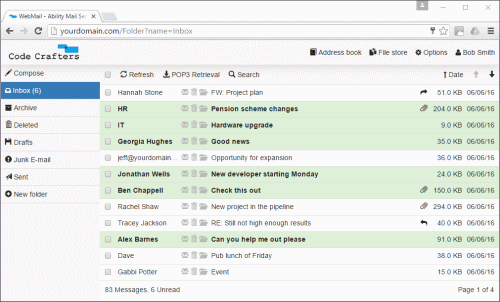
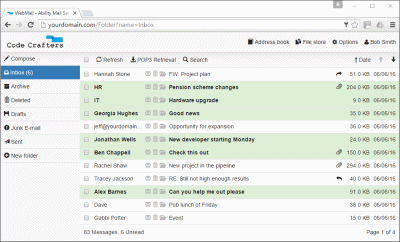
Ability Mail Server's WebMail is designed with a modern responsive interface that changes layout for desktop, mobile and tablet views. Features include multi-language customizable templates, online registration, domain administration, HTML composing, address books, file stores, POP retrievals, SPAM filters, block lists, folder searching, signatures, auto-reaponses, drafts, importance level control, sub folders, read receipts and much more. To find out more, please view the WebMail page.
With SPAM accounting for over 70% of all Internet mail traffic, it is important to ensure your users are well protected. Bayesian offers you the very best in SPAM protection and includes a comprehensive suite of 10 filters. By using just a few of these it is possible to irradicate almost all SPAM, and in some cases, achieve a detection rate of over 99% with very few false positives. The filters include technologies such as self learning Bayesian, RBLs, SPF, Grey List, Black List, SPAM Trap and more. To find out more, please view the SPAM Filtering page.
Security is vital to your business and it is something we take very seriously. With support for on server antivirus, secure authentication mechanisms and 256-bit SSL, Ability Mail Server can offer you maximum protection for your mail. Other security features include restrictions on mail transfer limits, IPs, anti-hammering, tarpitting and more.
Ability Mail Server fully supports all common standard mail protocols including SMTP, POP3, IMAP4, LDAP and HTTP. This ensures that your users will be able to access their mail from almost any mail client or device. The mail server also supports IPv4 and IPv6 protocols ensuring your mail server is ready for the future.
The primary goal of Ability Mail Server's interface is to present the administrator with an application that is self explanatory and very easy to use. Designed with a logical layout that avoids confusing drop down menus, navigation around settings is simplified and quick to learn. Added to this is a generous selection of setup wizards, there to help guide the administrator through the initial setup and other important tasks such as configuring SPAM, services or adding users.